 Русский
 English
 Українська
 Türkçe
 DLEMod team
We took copies of our test sites from 15.0 through 20.0, plus a clean 12.0 install in windows-1251, all the way to 21.0. On PHP 8.0 and newer there was not a single PHP error, either on the site or in the admin panel. What broke was something else. On PHP 7.4 you get a blank page as soon as the files are uploaded, and the 21.0 archive silently overwrites your .htaccess and robots.txt. The missing links in user signatures that people complain about on the forum go back to 18.0: anyone jumping to 21.0 from version 17 sees this for the first time and blames 21.0.
Short version#
- Before you upload the 21.0 files, you need PHP 8.0+ with the intl extension.
- The database upgrade takes seconds: 10 s from 15.1, one second from 20.0. On a copy with 100 thousand news items the 20.0 → 21.0 step ran for 28 seconds in a single HTTP request, and on a host with a short timeout it can get cut off.
- The 21.0 archive contains
.htaccessandrobots.txt. Upload "everything except templates" and your redirects and robots rules are gone. - From 12.0 in windows-1251 we reached 21.0 in one pass: 25 steps plus conversion to UTF-8.
How we tested#
Sixteen source versions in total: 15 test sites from 15.0 to 20.0 and a separately installed DLE 12.0. Version 21.0 is the target, so it doesn't count. The test sites themselves stayed untouched: for each one we made a copy in a subfolder with its own copy of the database. We followed the "Updating the script" section (Russian: «Обновление скрипта») of the 21.0 documentation. Files from upload/ went on top of the existing ones, except templates/. We ran the database steps with the same requests the "Next" button sends in the admin.php?mod=upgrade wizard, but from a script, so we could go through all 16 copies in a row. Then we opened the home page, a news item with comments, search, profile, registration, RSS and five admin sections, and checked the PHP error log.
The distribution is dle21_0.zip dated September 19, 2026. There is also a September 17 build with the same version number but different admin panel files. You can tell yours by the size of public/adminpanel/javascripts/application.js: 275,314 bytes in the September 19 build, 275,677 in the September 17 one.
Upgrading to 21.0 from each version: what happened#
The test sites hold little data: about 20 news items, 15 comments and 13 users. The PHP column shows the version each test site runs on. 15.1 and 15.2 simply have more steps, hence the 10 seconds.
| From | PHP | DB steps | DB time | Pages |
|---|---|---|---|---|
| 15.0 | 7.4 | — | — | 500, empty response |
| 15.0 | 8.0 | 15 | 10.1 s | all 200 |
| 15.1 | 8.0 | 14 | 10.3 s | all 200 |
| 15.2 | 8.0 | 13 | 10.0 s | all 200 |
| 15.3 | 8.1 | 12 | 6.3 s | all 200 |
| 16.0 | 8.1 | 11 | 6.2 s | all 200 |
| 16.1 | 8.1 | 10 | 5.8 s | all 200 |
| 17.0 | 8.2 | 9 | 4.9 s | all 200 |
| 17.1 | 8.2 | 8 | 4.8 s | all 200 |
| 17.2 | 8.2 | 7 | 5.5 s | all 200 |
| 17.3 | 8.3 | 6 | 4.3 s | all 200 |
| 18.0 | 8.3 | 5 | 3.5 s | all 200 |
| 18.1 | 8.1 | 4 | 3.6 s | all 200 |
| 19.0 | 8.2 | 3 | 3.1 s | all 200 |
| 19.1 | 8.3 | 2 | 4.2 s | all 200 |
| 20.0 | 8.3 | 1 | 1.0 s | all 200 |
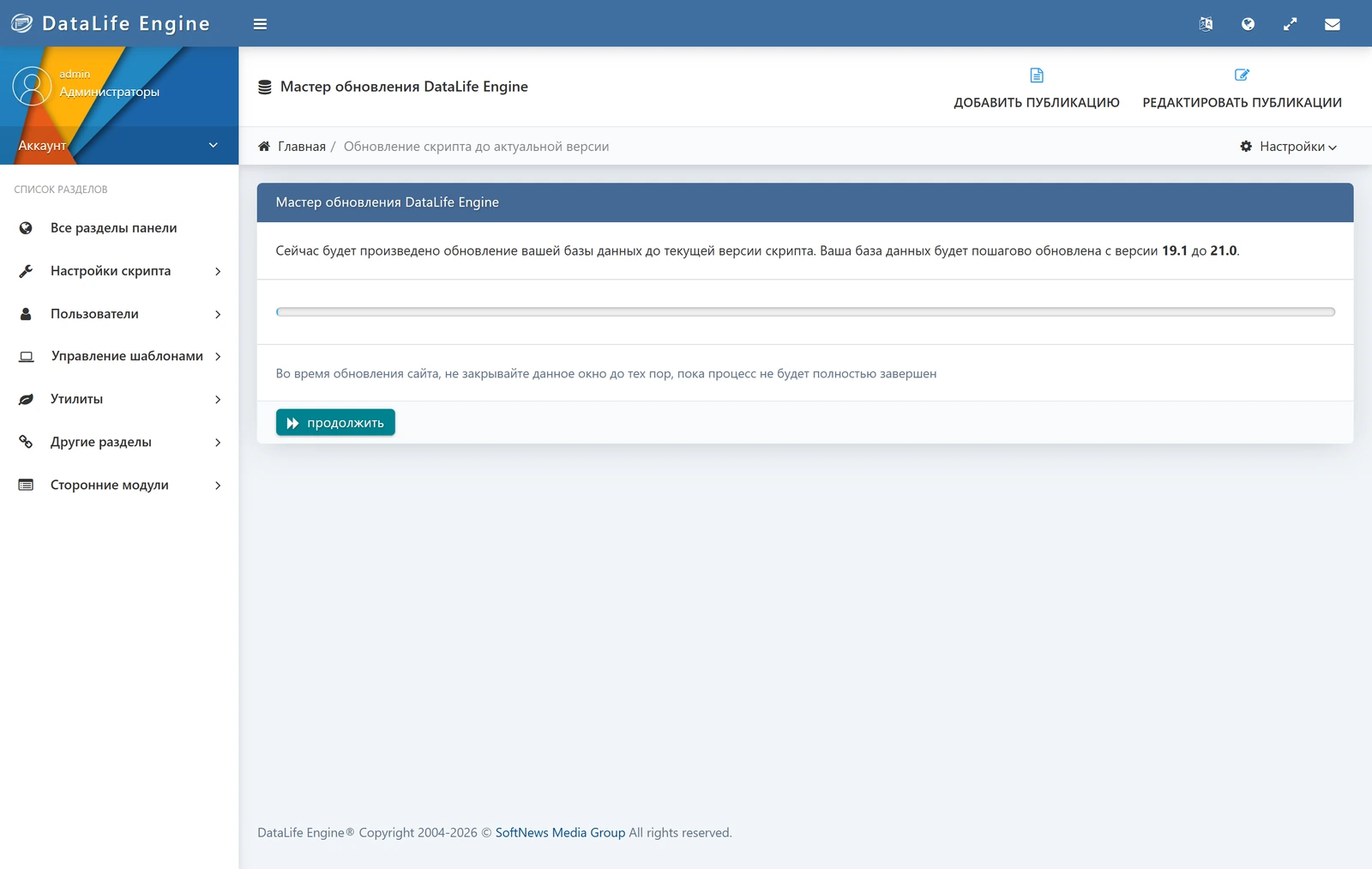
The slowest step everywhere was 19.1 → 20.0, up to 4.7 seconds. We didn't need any intermediate distributions: the 21.0 archive ships database upgrade scripts going back to version 7.0 (engine/inc/upgrade/*.php), and the wizard runs them one after another.
PHP 7.4: blank page#
The 15.0 test site runs on PHP 7.4. We uploaded the 21.0 files straight onto it, and both the home page and admin.php started returning 500 with an empty page. The Apache log said:
PHP Parse error:  syntax error, unexpected '=>' (T_DOUBLE_ARROW) in …/engine/init.php on line 146
PHP Fatal error:  Uncaught Error: Call to undefined function str_ends_with() in …/engine/inc/include/functions.inc.php:2993
Line 145 of engine/init.php starts a match expression, which PHP doesn't have before 8.0. The 21.0 system requirements say as much: PHP 8.0 or later, with intl among the required extensions. The same 15.0 copy on a host with PHP 8.0 upgraded in 15 steps with no PHP errors.
So if your site is on 15.x or 16.x, move it to PHP 8.0+ first and check that everything still works (our 15.1 and 15.2 run fine on 8.0). Upload the 21.0 files as a separate step. Switching PHP can break things of your own, like custom code or old plugins, and it's better if that happens on the old engine: rolling back PHP is easier. Check intl with phpinfo() on the site itself. php -m in the console often reports a different PHP from the one the site uses. Sites on 12.x are covered in their own section below.
We didn't run a 21.0 site on anything above 8.3. We only checked syntax: php -l under PHP 8.4 and 8.5 found no errors in any of the 329 PHP files in the distribution.
What 21.0 removes during the upgrade#
Besides indexes, the 20.0 → 21.0 database step (engine/inc/upgrade/20.0.php) deletes files and settings:
| What | Where | Who is affected |
|---|---|---|
engine/classes/geoip/ip2location.class.php and geo.base.dat are deleted |
the geo database is now country.bin, asn.bin, dbreader.class.php |
modules that included ip2location.class.php directly |
public/masha, public/fonts/inter, public/html5player/player.js and player.css are deleted |
— | templates that loaded these files themselves |
allow_smartphone, allow_smart_images, allow_smart_video, allow_smart_format, mobile_news, mail_bcc are removed from config.php |
the Smartphone mobile template is gone | sites with a separate mobile version: phones will get the main template, so check it on a narrow screen |
New tables dle_mail_campaigns, dle_mail_campaign_users |
mailings | — |
Indexes on 19 tables are rebuilt; old single-column ones (approve, tag, news_id and others) are dropped |
dle_post gets seven composite indexes |
large databases: this is the slow step |
One change we found only by reading the code. In 21.0, the http_get_contents function in engine/modules/functions.php verifies the SSL certificate of the server it connects to (CURLOPT_SSL_VERIFYPEER is on; in 20.0 it was off). Social login (engine/classes/social.class.php) and update checks for DLE and plugins go through it. On a host with an outdated root certificate bundle these features may stop responding. We haven't run into this ourselves. A rough check is curl -I https://dle-news.ru/ from the server: a certificate error there is a reason to ask your host to update ca-certificates. Keep in mind that PHP can use its own certificate bundle (curl.cainfo, openssl.cafile in php.ini), in which case the console won't show what the site sees.
The templates in the 21.0 archive are packed into templates/default_templates.zip, and the set is different: Air, Chronicle, Cover, Default_Images, Flow, Hub, Overview. 20.0 had Default, Green, Red and smartphone. In a manual upgrade you don't upload the templates/ folder, so the site keeps its own template. On every copy the old templates opened without errors. They won't get the new 21.0 tags on their own; DLE keeps the list of template changes at dle-news.ru/templates-changelog.html.
Large database: how long it takes and what to do about a 504#
On the small test sites the 20.0 → 21.0 step takes about a second. To test at the scale of a live site we inflated a 20.0 copy to 100,480 news items and 511,440 comments, which is 1,095 MB of data with indexes. The server: 4 cores, 5 GB of RAM, MariaDB 11.4, plus its normal workload.
The step took 28 seconds, all of it a single ajax request the wizard waits on. DLE lifts max_execution_time by itself, but the web server timeout still applies. If the host cuts the response off before the rebuild finishes, the wizard shows "HTTP Error:" with the response code, usually 504 or 502. On your own server, raise the timeout for the duration of the upgrade: in nginx that's fastcgi_read_timeout or proxy_read_timeout, in Apache it's Timeout. On shared hosting, ask support, or upgrade at night. dle-news.ru gives the same advice in the release notes: quiet hours and lifted limits. We didn't test a database twice as large; our estimate is about a minute.
If you do get a 504, the code suggests the step can be repeated. In upgrade/20.0.php the version number is written to config.php only after the database queries, so an interrupted step leaves 20.0 in place and the wizard offers the step again. It only adds indexes that are missing, checking against SHOW INDEX. We didn't deliberately break the connection to test this; it comes from reading the code. If a retry doesn't help, restore your backup (step 1 of the procedure below).
Forum complaints: what we reproduced#
We tried three September threads from the dle-news.ru forum on our test sites.
Links in signatures disappear, since 18.0#
Thread: "Links in the user signature are not saved after upgrading to DLE 21.0" (in Russian). We saved a signature through the profile form on the site as an administrator and looked at what ended up in dle_users.signature.
| DLE | [url=…]…[/url] |
<a href="…"> |
|---|---|---|
| 15.1, 17.2, 17.3 | becomes a working link | stripped, text remains |
| 18.0, 18.1, 19.0, 19.1, 20.0, 21.0 | stays as plain [url=…] text |
stripped, text remains |
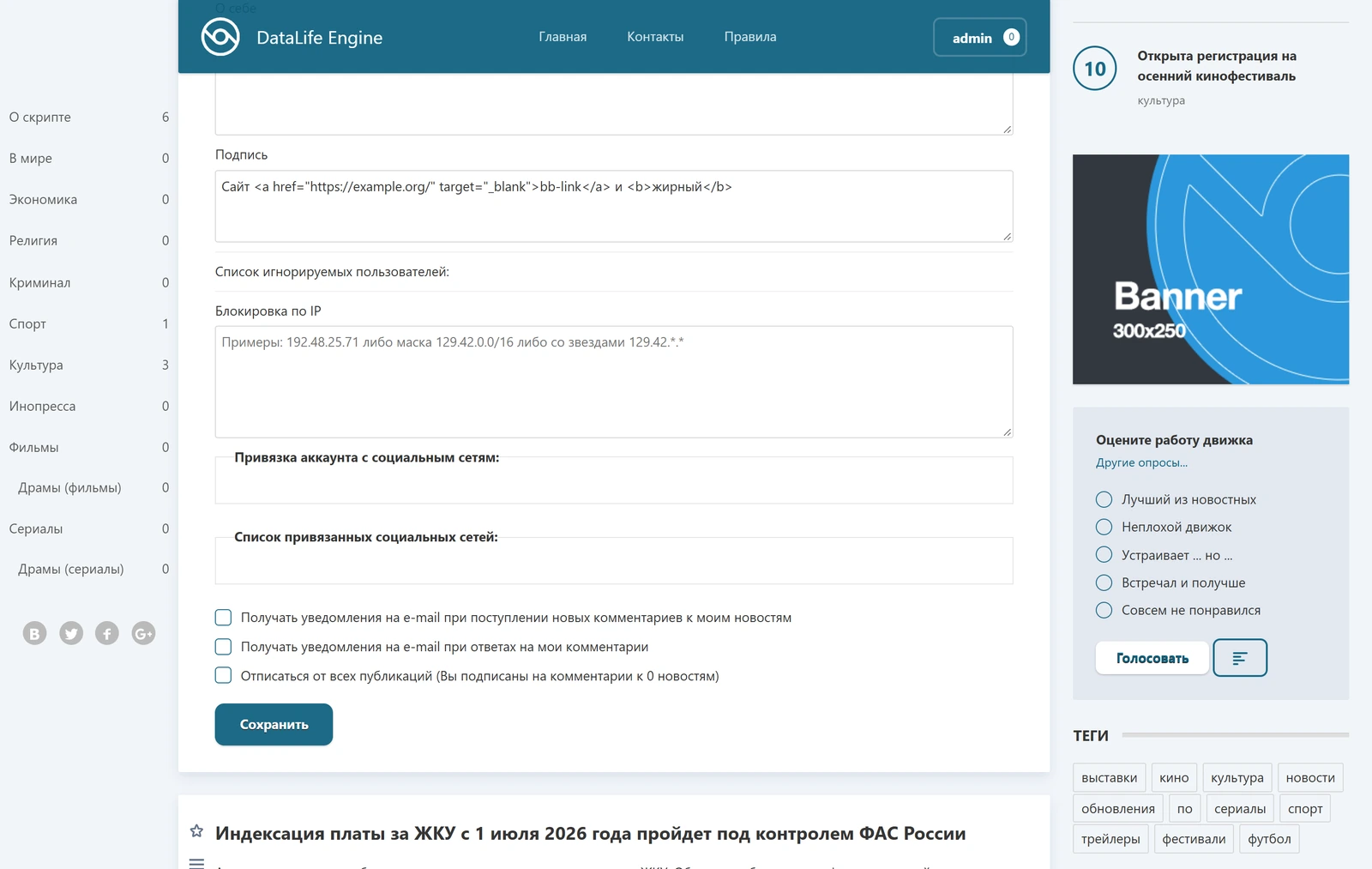
Signatures saved before 18.0 are stored in the database with a ready <a> tag and still show the link after the upgrade. What breaks them is the first time the profile is saved. On 18.0+ the form displays the old signature as HTML code, and saving strips the <a>. On 17.3 the same form would have filled in the BB code [url=…], and the link would have survived a re-save.
To see how many signatures like this you have:
SELECT COUNT(*) FROM dle_users WHERE signature LIKE '%<a %';
There is no built-in way to get links back into signatures: in 18.0+ the profile form (engine/modules/profile.php) and user editing in the admin panel (engine/inc/editusers.php) run the signature through a filter that strips all HTML, and [url] is no longer parsed. A plugin can fix it.
We put together signature-links.xml: four edits, two for the profile form and two for the admin panel. After DLE's normal processing the plugin turns [url=https://…]text[/url] into a link, exactly the kind 17.3 used to store, and the edit form shows it back as [url=…], so re-saving no longer kills the link. The core of it is one line:
$signature = preg_replace_callback( '#\[url=(https?://[^\]\s\\\\<>]+)\](.+?)\[/url\]#i', function ( $m ) {
	return '<a href=\"' . $m[1] . '\" target=\"_blank\" rel=\"noopener external noreferrer\">' . $m[2] . '</a>';
}, $signature );
Only addresses starting with http:// or https:// pass, with no spaces, quotes or angle brackets. We tested it on a copy upgraded to 21.0: a normal link saves and survives re-saving; [url=javascript:…] and an address with a quote and onmouseover stay plain text; hand-typed <a> and <script> are stripped, same as without the plugin; an old signature with <a> keeps its link after saving; editing from the admin panel (“Edit users”) works too. The plugin requires DLE 20.0 or newer, but we ran it on 21.0.
"Links in old comments lead to the home page": we couldn't reproduce it#
Thread: "Internal links in old comments lead to the home page after upgrading to DLE 21.0" (in Russian). On a 20.0 copy we left comments with internal links in various forms: the full news URL, a relative /…/158-….html, http:// instead of https, index.php?newsid=158 and the old leech format with engine/go.php. Some we added through the same form visitors use, some directly in the database. After upgrading to 21.0 the link HTML matched byte for byte, and every internal link led to its own news item. With "Process incorrect user-friendly URLs" enabled, a wrong category, an old news slug and ?newsid all returned a 301 to the correct news URL. We couldn't fully check the leech format: engine/go.php is blocked by nginx on our server.
If your links do lead to the home page, look at plugins that change user-friendly URLs, or at rules in .htaccess/nginx, including an .htaccess that got overwritten when you uploaded the files.
Can PRISM be turned off#
Thread: “Can PRISM be disabled in DLE 21.0?” (in Russian). Not through the settings, but yes with a plugin, and it takes five lines.
PRISM is the code highlighter, public/prism/prism.js, 52,440 bytes. There is no switch for it in engine/inc/options.php of 21.0. The script is added automatically as soon as a page contains <pre: in engine/modules/main.php (line 410 in 21.0, 402 in 20.0), and for comments and private messages loaded via ajax, in four more files under engine/ajax/: addcomments.php, comments.php, editcomments.php, pm.php.
We put together a plugin that replaces all five conditions with if (false) {: disable-prism.xml. Install it like any other plugin: “Managing Plugins” → upload the file. It does not touch the engine files, and removing the plugin brings everything back. We tested it on a site copy upgraded to 21.0: without the plugin a page with <pre> loads prism.js, with the plugin it does not; the <pre> block stays in place, just without highlighting. All five edits applied, the plugin error log is empty. The plugin requires DLE 20.0 or newer: these lines are the same in 20.0, but we ran the plugin itself only on 21.0.
This is what one operation looks like (the other four are the same for their files):
<file name="engine/modules/main.php">
	<operation action="replace">
		<searchcode><![CDATA[if (strpos($tpl->result['main'], "<pre") !== false) {]]></searchcode>
		<replacecode><![CDATA[if (false) {]]></replacecode>
	</operation>
</file>
From 12.x straight to 21.0#
We checked forum questions like "correct upgrade from 12.1 to 20" (in Russian) on a clean DLE 12.0 in windows-1251 with three demo news items: we installed it on PHP 7.4, added a comment in Cyrillic and took it to 21.0 on PHP 8.0. We didn't test 13.x or 14.x.
The first wall was PHP. Version 12.0 doesn't open on 8.0:
PHP Fatal error: Uncaught TypeError: count(): Argument #1 ($value) must be of type Countable|array, null given in …/engine/init.php:86
And 21.0 doesn't open on 7.4. There is no PHP version both of them run on: we tried 8.0, and 12.0 already crashes there. So switching PHP to 8.x and uploading the 21.0 files happen in one maintenance window, immediately followed by logging into the admin panel. The site is down while this is going on, so don't start without a full backup.
The database steps themselves went smoothly. The wizard showed 25 steps, from 12.0 to 21.0 (from 12.1 it would be 24), and got through them in 7.8 seconds. Then the admin panel moved on to UTF-8 conversion by itself. Until that's done, the admin panel shows question-mark diamonds instead of the "Administrators" group name.
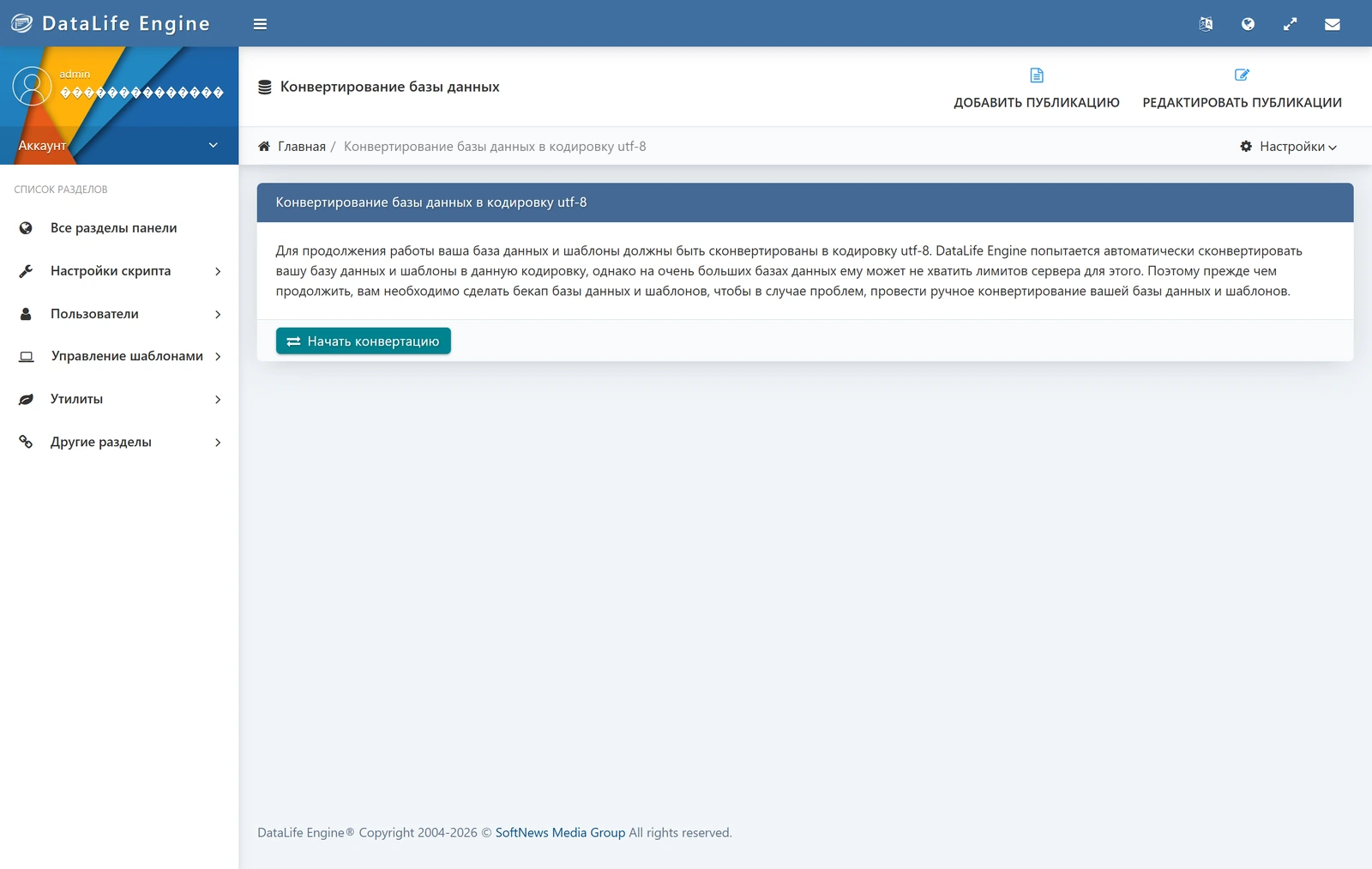
The wizard converts the tables one at a time, then the templates, and at the very end writes utf8mb4 into engine/data/dbconfig.php. 59 tables took 8.5 seconds. Cyrillic text in news and comments came through intact.
We found the trap through our own mistake: our script ran the dbconfig.php step before the tables. After that the wizard cheerfully reported "Database conversion is not required. All tables are in the needed encoding.", even though all 59 tables were still in cp1251. It trusts the line in dbconfig.php and doesn't check the tables. You can end up in the same place after an interrupted wizard run or a manual edit of that file. To check:
SELECT table_collation, COUNT(*)
FROM information_schema.tables
WHERE table_schema = 'db_name'
GROUP BY 1;
If you see cp1251_general_ci, put define ("COLLATE", "cp1251"); back into dbconfig.php and run the conversion again.
The upgrade procedure we'd use ourselves#
- Make a full backup of the files and the database while the site is still running. Run the commands from the folder one level above
public_html:If something goes wrong, rolling back means restoring both (and the PHP version, if you changed it):tar czf site-before-21.tgz public_html mysqldump --single-transaction -u USER -p DB_NAME > db-before-21.sqlrm -rf public_html && tar xzf site-before-21.tgz mysql -u USER -p DB_NAME < db-before-21.sql - Check PHP and intl. On DLE 15.x–20.0 with PHP below 8.0, move to 8.0+ ahead of time, as a separate step. A site on 12.x switches PHP and uploads the 21.0 files in one window.
- Save your own
.htaccessandrobots.txt: 21.0'supload/has its own, and uploading will overwrite yours. In 21.0 these two files are identical to the ones in the 20.0 distribution, so the engine needs nothing new from them.engine/data/in the archive is empty, soconfig.phpanddbconfig.phpwon't be touched. - If you can, run through everything on a copy first: a subfolder or subdomain, a copy of the database,
http_home_urladjusted inengine/data/config.phpand the database name indbconfig.php. - Close the site: "System settings" → "Shut down the website". The "Administrators" group can still see a disabled site, so you'll get into the admin panel. Then upload
upload/from the 21.0 archive on top, excepttemplates/and the two files from step 3, and deleteinstall.php. With SSH, do it from the folder one level abovepublic_htmland as the site user, not root; otherwise the new files will belong to someone else and the wizard will trip over permissions:Over FTP or the host's file manager it's the same thing: the contents ofrsync -a --exclude '/templates/' --exclude '/.htaccess' --exclude '/robots.txt' upload/ public_html/ rm public_html/install.phpupload/, except thetemplatesfolder and those two files, on top with overwrite. That's 1,318 files, so an FTP upload will take a few minutes. - Go to
admin.php. The admin panel will open the "DataLife Engine Update Wizard" by itself; click "Next" and don't close the tab. If the wizard says "No permission to write" and names/engine/cache/system/, the folder is either missing or owned by the wrong user. We hit this after deleting the cache as root: create the folder and give it to the user PHP runs as. The wizard clears the cache itself after the steps. A windows-1251 site will be taken to the UTF-8 conversion after the database steps. - Make sure the version really changed:
engine/data/config.phpshould contain'version_id' => '21.0'. - Walk through the site: home page, a news item with comments, search, profile, registration, RSS, and the host's PHP error log.
Tested on: DLE 12.0, 15.0–20.0 → 21.0 (build of 2026-09-19), PHP 7.4, 8.0, 8.1, 8.2, 8.3 (8.4 and 8.5 syntax only), MariaDB 11.4; copies of the dlemod.com test sites, 2026-09-27.
Tested on: DLE 12.0, 15.0–20.0 → 21.0, PHP 7.4–8.3 — 27.09.2026
FAQ
Can I upgrade from DLE 15 or 16 straight to 21.0?
Yes. The 21.0 archive includes database upgrade scripts going back to version 7.0, and the wizard runs them one after another: from 15.1 that was 14 steps and 10 seconds for us. The site must already be running on PHP 8.0 or newer before you start.
Can I upgrade DLE 12.x straight to 21.0?
It worked for us on a clean 12.0 in windows-1251: 25 database steps in 7.8 seconds plus conversion to UTF-8. But 12.0 doesn't run on PHP 8 and 21.0 doesn't run on 7.4, so PHP and the files are switched in a single window, with a full backup at hand. We didn't test 13.x or 14.x.
Which PHP version does DLE 21.0 need?
PHP 8.0 or later with the intl extension. On PHP 7.4 the 21.0 files return error 500: on the site it's unexpected '=>' in engine/init.php, in the admin panel it's undefined function str_ends_with().
Will the upgrade overwrite .htaccess and config.php?
The upload/ folder of the 21.0 archive has its own .htaccess and robots.txt, and uploading on top will replace yours. The engine/data folder in the archive is empty, so config.php and dbconfig.php are not touched.
How do I roll back if the upgrade broke the site?
Only from a backup made before the upgrade: restore the files from the archive and load the database dump, and if you changed PHP, switch that back too. That's why the backup comes before everything else.
What should I do if the update wizard shows HTTP Error 504 or 502?
The host cut off a long request, usually while indexes of a large database were being rebuilt. In the 21.0 code the version number is written after the queries, so the wizard will offer the step again; raise the web server timeout before retrying. If that doesn't help, restore your backup.
Why aren't links saved in user signatures?
Since DLE 18.0 the signature field in the site profile accepts neither the [url] BB code nor the <a> tag. Old signatures show their links until the user saves the profile. Links can be brought back with the signature-links.xml plugin from the article: it understands [url=https://…]text[/url] again.
Can PRISM be disabled in DLE 21.0?
There is no setting: the script is added automatically to pages with a <pre> tag. A plugin with five edits that replaces these conditions with if (false) turns it off; the ready-made disable-prism.xml is linked in the article.